F4 in Excel for Mac
Updated by Leonard Peez
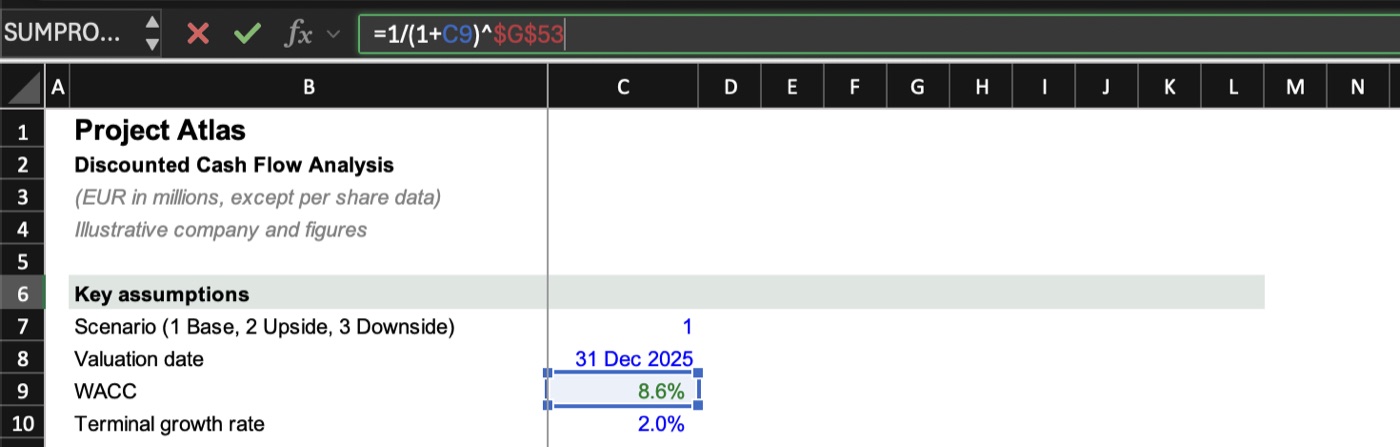
Short answer: to lock a reference (A1 to $A$1), press ⌘T while editing a formula, or fnF4. To repeat the last action, press ⌘Y. With RibbonBridge, plain F4 works without fn, exactly like on Windows.
Why F4 does nothing on a Mac
On a Mac keyboard the top row is set to Mac functions: brightness, Spotlight, dictation, volume. When you press F4 in Excel, macOS opens Spotlight or Launchpad instead of sending F4 to Excel. That is why the habit from Windows, edit a formula and hit F4, breaks the moment you switch to a MacBook.
Lock references: the three ways
1. ⌘T while editing
Click into a formula (or press ⌃U to edit the cell), put the cursor on a reference and press ⌘T. Each press cycles the reference:
| Press | Reference | What is locked |
|---|---|---|
| 1 | $B$4 | Column and row |
| 2 | B$4 | Row only |
| 3 | $B4 | Column only |
| 4 | B4 | Nothing (relative again) |
2. fn F4
Hold fn (or 🌐) and press F4. It works, but it is a two-hand move on a laptop, and easy to forget when you are fast.
3. Plain F4 with RibbonBridge
RibbonBridge turns the top row into F1 to F12 while Excel, PowerPoint or Word is in front, and leaves brightness and volume alone everywhere else. So you edit a formula and press F4, the same as on Windows. F2 (edit cell) and F9 (recalculate) work the same way.
F4 as "repeat last action"
On Windows, F4 outside a formula repeats your last action, for example inserting another row or applying the same fill. On a Mac, ⌘Y does the same. With RibbonBridge, F4 reaches Excel directly, so it behaves the way Excel for Mac handles that key.
Other function keys in Excel for Mac
| Windows | What it does | Mac without RibbonBridge | Mac with RibbonBridge |
|---|---|---|---|
| F2 | Edit cell | ⌃U or fn F2 | F2 |
| F4 | Lock reference / repeat | ⌘T, ⌘Y or fn F4 | F4 |
| F9 | Recalculate | fn F9 | F9 |
| Shift F3 | Insert function | fn Shift F3 | ⇧F3 |
| F5 | Go to | ⌃G or fn F5 | F5 |
The Mac's own setting "Use F1, F2, etc. keys as standard function keys" (System Settings ▸ Keyboard) also works, but it switches the keys for every app, so you lose brightness and volume everywhere.
Get F4 and the Alt shortcuts back on your Mac. RibbonBridge brings the Windows keys to Excel and PowerPoint for Mac: 7 days free with just your email, then €15 once.
Start 7-day free trial All Alt shortcuts on Mac